How to send event triggers to Lab Streaming Layer from JsPsych
Understand the steps involving in setting up event triggers for your JsPsych experiments, including creating the bridge to Lab Streaming Layer, ensuring synchronisation with other signals and highly accurate timestamps.
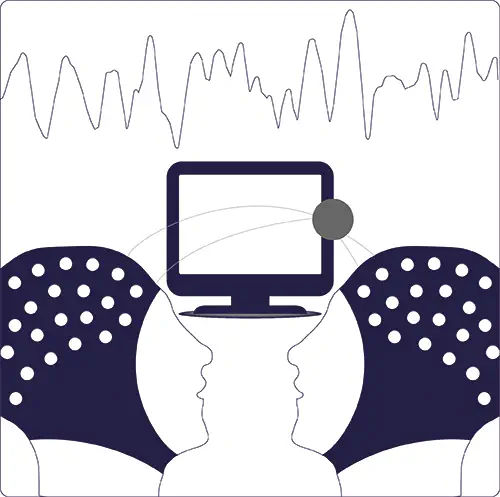
Hello there! 👋 Let’s learn how to send event triggers to Lab Streaming Layer (LSL) from JsPsych.
Lets start with some basics!
What does this mean and when is this useful?
Lab streaming layer (LSL) is a system used to receive, synchronise and stream signals from multiple inputs during experiments. LSL is designed to help researchers easily compare their data across multiple technologies, as time synchrony is integral for making meaningful analyses.
When collecting data on stimulus response during experiments, it’s important that the stimulus onset is recorded precisely, especially if this is mapped onto physiological responses as this has implications on how we interpret our data. One good example of a use case is that you have a Muse headband or any other device that can scream via LSL, and you want to precisely mark events in it.
Event triggers are coded into JsPsych online experiments to accurately mark events, such as when a stimulus appeared on the screen. We have found this method to yield the most precise timestamps of events, compared to alternative methods such as using the Bitalino LUX.
This tutorial will explain how to set this up for an experiment situated on GitHub, although you can adapt this for your hosting platform.
This blog will help you understand the set-up for event triggers. For an example of this in action, refer to https://github.com/OliverACollins/muse-athena-test/tree/main/blackwhite. This experiment recorded markers on a screen turning from white to black- you may want to follow along with lsl_bridge.py and blackwhite_jspsych.html1 for the full implementation.
How to set up event triggers
Requirements
-
Your experiment is in-person: In order to use these event triggers, you will need to run your experiment on a local host server, which will need to be manually set up for each trial. Therefore, this setup is intended for in-person experiments that are led by a researcher to set up the participant’s screen.
-
You have two machines, one for the participant, and one for the researcher: The participant’s machine will display the experiment and send the markers to the researcher’s machine, which will record the LSL stream events.
-
All machines must be on the same network connection: To send the markers from the participant’s machine to the researcher’s recording machine, we must run the experiment on a web server which directs the markers to the recording machine via its ipv4 address.
The LSL bridge script
The LSL bridge Python script is responsible for actually sending the markers to LSL- it ’listens’ for messages from the browser that the participant is doing the experiment from, and converts them into ‘markers’ for your recording software (such as LabRecorder) to receive.
See an example of a full script
from http.server import BaseHTTPRequestHandler, HTTPServer
from urllib.parse import urlparse, parse_qs
from mne_lsl.lsl import StreamInfo, StreamOutlet, local_clock
import threading

# ---------------------------------------------------------------------
# CONFIG
# ---------------------------------------------------------------------
LSL_STREAM_NAME = "jsPsychMarkers"
LSL_STREAM_TYPE = "Markers"
LSL_SOURCE_ID = "jspsych-lsl-bridge"
SERVER_HOST = "0.0.0.0"
SERVER_PORT = 5000
# ---------------------------------------------------------------------

# Create an LSL outlet for event markers
info = StreamInfo(
    name=LSL_STREAM_NAME,
    stype=LSL_STREAM_TYPE,
    n_channels=1,
    sfreq=0,
    dtype="string",
    source_id=LSL_SOURCE_ID,
)

desc = info.desc
desc.append_child_value("manufacturer", "jsPsych")
channels = desc.append_child("channels")
ch = channels.append_child("channel")
ch.append_child_value("label", "JsPsychMarker")
ch.append_child_value("unit", "string")
ch.append_child_value("type", "Marker")

outlet = StreamOutlet(info)

# ---------------------------------------------------------------------
# HTTP Request Handler
# ---------------------------------------------------------------------
class MarkerHandler(BaseHTTPRequestHandler):
    def do_GET(self):
        parsed = urlparse(self.path)
        params = parse_qs(parsed.query)
        path = parsed.path

        if path == "/sync":
            # Return current LSL clock to JS
            ts = local_clock()
            self.send_response(200)
            self.end_headers()
            self.wfile.write(str(ts).encode())

        elif path == "/marker":
            value = params.get("value", ["1"])[0]
            ts_js = params.get("ts", [None])[0]

            if ts_js is not None:
                ts = float(ts_js)
            else:
                ts = local_clock()

            outlet.push_sample([value], ts)
            print(f"→ Marker {value} @ {ts:.6f}")

            self.send_response(200)
            self.end_headers()
            self.wfile.write(b"OK")

        else:
            self.send_response(404)
            self.end_headers()

# ---------------------------------------------------------------------
def run_server():
    server_address = (SERVER_HOST, SERVER_PORT)
    httpd = HTTPServer(server_address, MarkerHandler)
    print(f"\n[LSL Bridge] Serving on http://{SERVER_HOST}:{SERVER_PORT}")
    print(f"[LSL Bridge] Stream '{LSL_STREAM_NAME}' ready for LabRecorder.\n")
    httpd.serve_forever()

# ---------------------------------------------------------------------
if __name__ == "__main__":
    server_thread = threading.Thread(target=run_server)
    server_thread.start()
Configuration of the Python Script
-
Set-up
-
Imports: Load in standard python libraries for creating a web server (
http.server,urllib) and themne_lsllibrary to handle the data streaming. -
Configure Variables: Name the event trigger stream so you can find it in LabRecorder, e.g.
LSL_STREAM_NAME = "jsPsychMarkers". -
Add
SERVER_HOST = "0.0.0.0"into the script to tell the server to listen to all available network interfaces, allowing the participant’s computer to communicate with the researcher’s. -
Specify the port for the html script to go to e.g.
SERVER_PORT = 5000. You will add this port into the html script that holds the online experiment, in order to send the experiment to this python script.
-
-
Create the LSL outlet for event triggers
-
Define the metadata for the stream:
info = StreamInfo( name=LSL_STREAM_NAME... -
Create the outlet object that will push data out to the network:
outlet = StreamOutlet(info).
-
-
Create the request handler to define what happens when the participant’s browser contacts the server.
-
The sync route:
-
if path == "/sync":: Checks if the browser is asking to synchronize clocks. -
ts = local_clock(): Grabs the current high-precision time from the LSL clock on the Recording Machine. -
self.wfile.write(...): Sends this timestamp back to the browser. The browser needs this to calculate the time difference (offset) between the two computers.
-
-
The marker route:
elif path == "/marker": Checks if the browser is trying to send an event marker.- It extracts
value(the marker name, e.g., “1”) andts(the timestamp calculated by the browser) from the URL parameters. outlet.push_sample([value], ts): This is the most important line. It injects the marker into the LSL stream using the timestamp provided by the browser. This ensures that even if there is network lag, the timestamp recorded in the EEG data remains accurate to when the event actually happened on the participant’s screen.
-
-
Run the Server
run_server(): Starts the HTTP server and prints a confirmation message that it is ready for LabRecorder.threading.Thread(...): Runs the server in a separate thread so it doesn’t block the main Python process.
Configuration of the JsPsych HTML script
See an example of a full script
<!DOCTYPE html\>

<html>

<head>

<title>Black/White Muse Synchronisation Test</title>

<script src="https://unpkg.com/jspsych\@7.3.4"\>\</script\>

<script src="https://unpkg.com/\@jspsych/plugin-html-keyboard-response\@1.1.3"\>\</script\>

<script src="https://unpkg.com/\@jspsych/plugin-image-keyboard-response\@1.1.3"\>\</script\>

<script src="https://unpkg.com/\@jspsych/plugin-preload\@1.1.3"\>\</script\>

<script src="https://unpkg.com/\@jspsych/plugin-fullscreen\@2.1.0"\>\</script\>

<link href="https://unpkg.com/jspsych@7.3.4/css/jspsych.css" rel="stylesheet" />

</head>

<body>

</body>

<script>
// -----------------------
// LSL bridge (promise-based)
// -----------------------
var lslBaseTime = null

function syncLSL() {
    return new Promise(async function (resolve, reject) {
        try {
            let offsets = []
            for (let i = 0; i < 3; i++) {
                var startPerf = performance.now()
                let resp = await fetch("http://139.184.128.202:5000/sync", { cache: "no-store" })
                let text = await resp.text()
                var lslTime = parseFloat(text)
                var endPerf = performance.now()
                var perfMid = (startPerf + endPerf) / 2
                offsets.push(lslTime - perfMid / 1000)
                await new Promise((r) => setTimeout(r, 100)) // Short delay between syncs
            }
            lslBaseTime = offsets.reduce((a, b) => a + b, 0) / offsets.length
            console.log("LSL sync done (averaged):", lslBaseTime)
            resolve(lslBaseTime)
        } catch (e) {
            console.error("LSL sync exception:", e)
            reject(e)
        }
    })
}

function sendMarker(value = "1") {
    // If not synced, still send marker (server will timestamp with local_clock())
    if (lslBaseTime === null) {
        console.warn("LSL not synced yet - sending without JS timestamp")
        fetch("http://139.184.128.202:5000/marker?value=" + encodeURIComponent(value))
            .then(function () {
                console.log("sent marker (no-ts)", value)
            })
            .catch(function (err) {
                console.error("Marker send error:", err)
            })
        return
    }

    var ts = lslBaseTime + performance.now() / 1000
    var url = "http://139.184.128.202:5000/marker?value=" + encodeURIComponent(value) + "&ts=" + encodeURIComponent(ts)
    fetch(url)
        .then(function () {
            console.log("sent marker", value, "ts", ts)
        })
        .catch(function (err) {
            console.error("Marker send error:", err)
        })
}

/* --------------------------
   Experiment Definition
--------------------------- */

function startExperiment() {

    var jsPsych = initJsPsych({
        override_safe_mode: true
    });

    var timeline = [];

    /* preload */
    timeline.push({
        type: jsPsychPreload,
        images: ["white.png", "black.png"]
    });

    /* stimuli */
    var test_stimuli = [
        { stimulus: "white.png", duration: 750, marker: 0 },
        { stimulus: "black.png", duration: 500, marker: 1 }
    ];

    /* trial */
    var test = {
        type: jsPsychImageKeyboardResponse,
        stimulus: jsPsych.timelineVariable("stimulus"),
        trial_duration: jsPsych.timelineVariable("duration"),
        choices: "NO_KEYS",

        data: {
            marker: jsPsych.timelineVariable("marker")
        },

        on_start: function(trial) {
            requestAnimationFrame(() => {
                sendMarker(trial.data.marker);
            });
        }
    };


  var loop_node = {
      timeline: [{
          timeline: [test],
          timeline_variables: test_stimuli,
          randomize_order: false
      }],
      loop_function: function() {
          return jsPsych.getTotalTime() < 2100000;
      }
  };

  timeline.push(loop_node);


    jsPsych.run(timeline);
}

// -----------------------
// Run: first sync then start experiment
// -----------------------
syncLSL()
    .then(function () {
        startExperiment()
    })
    .catch(function (err) {
        console.warn("Proceeding without LSL sync (sync failed):", err)
        startExperiment()
    })

</script>

</html>
The code sending triggers from the browser to the LSL bridge script is written in javascript. It is ‘promise-based’, meaning it is coded to wait until it receives a signal from the participant’s computer. This code is designed to track the exact time it is on the participant’s computer and send markers precisely aligned to that time.
-
Synchronisation
-
var lslBaseTime = null: A variable to store the calculated time difference between the two computers. -
The function
syncLSL() {...}can be looped three times to get an average reading. -
Get the time of the marker:
fetch("http://.../sync") -
Record
startPerf(when the request left) andendPerf(when the answer came back). -
You can assume the server received the message exactly halfway between start and end (
perfMid). -
Calculate the difference between the browser’s clock and the LSL clock:
offsets.push(lslTime - perfMid / 1000). -
Finally, average these offsets into
lslBaseTime. Now the browser knows how to convert its own time to LSL time.
-
-
Sending markers
-
Safety check in case sync fails:
if (lslBaseTime === null)can be coded to send markers based on the timing from the participant’s computer without synchronisation, which is less accurate but better than nothing. -
Code the mathematical logic to account for the offset in time for the recording computer to receive the marker, so the generated timestamp aligns with the recording computer’s timestamp:
var ts = lslBaseTime + performance.now() / 1000. -
Send the marker name and this calculated timestamp to the python bridge:
fetch(url).
-
Usage
On the researcher’s machine:
- Turn off the firewall in security settings for the researcher’s machine.
- Open the lsl bridge script and go onto the terminal (we use VS code). Type
ipconfigto retrieve the ipv4 address. - In the terminal, type
pip install mne-lsl. - Select all text in the bridge script and run it (ctrl+a, shift+enter)
On the participant’s machine:
- Open the html script. You will need to ensure the terminal working directory points towards your experiment folder- the best way to do this is to open your repository folder on VS code.
- Copy the ipv4 address from the researcher’s machine into the html script- there should be three instances before the
:5000port address. - In a new terminal, run
python -m http.server 8000 - You are now ready to run the experiment. Go onto your browser and enter the link ‘http://localhost:8000/index.html’, adjusting for the name of your html script. Your experiment should now run on the participant’s machine. The researcher can view markers received in their python terminal.
-
Special shoutout to our placement student Oliver Collins for preparing these scripts! ↩︎
Róisín Sharma
Placement Student
University of Sussex
Placement Student and Research Assistant at the Reality Bending Lab